
Screenshots


App details
- Updated
- Aug 30, 2024
- Language
- English
- Developer
- MVoyager
- Category
- Mobile
SoftPas in:
This product is also available in the following languages:
About Master Voyager
Download Master Voyager – secure storage, password protection, data privacy, USB security, CD DVD protection, digital media security, file encryption, data safeguarding, optical disc security, memory card encryption
Overview
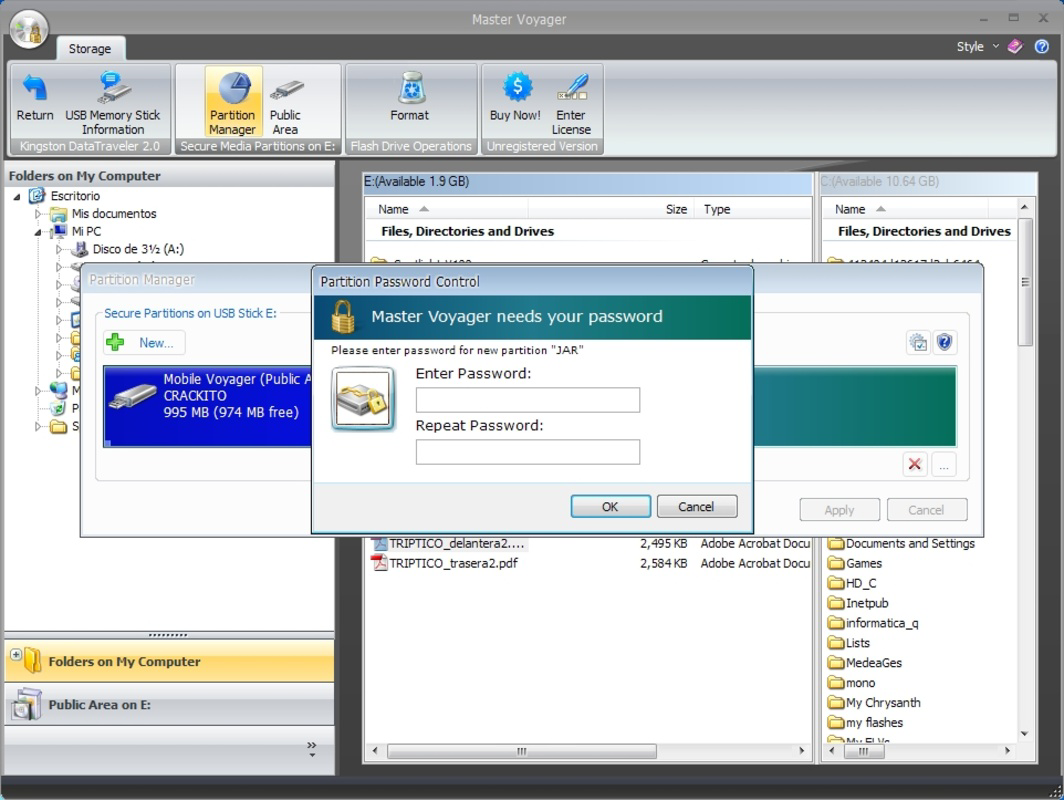
Master Voyager is a dedicated utility designed to enhance data privacy by securing access to a variety of physical storage media. The application enables users to apply password protection to CDs, DVDs, Blu-ray discs, memory cards, and USB drives, ensuring that only authorized individuals can access the stored content. In an era where digital privacy is increasingly at risk, Master Voyager offers a straightforward solution for safeguarding sensitive files such as personal documents, photographs, and confidential data stored on removable media. The app is particularly useful for users who frequently transfer or share data across devices and need an added layer of security beyond physical storage.
Target users include individuals, professionals, and small business owners who handle sensitive information and rely on optical or portable storage for data transfer. The app’s focus on compatibility with CD-RW, DVD+RW, DVD-RW, and BD-ROM formats makes it a versatile tool for those working with legacy or specialized media. While the developer did not provide additional background, the app’s functionality suggests a targeted approach to digital security for physical media. Real-world use cases include securing client files on USB drives, protecting family photos on DVDs, or encrypting project backups on memory cards. In the broader app ecosystem, Master Voyager fills a niche for offline data protection, offering a reliable alternative to cloud-based encryption tools for users who prefer physical media control.
Key Features & Functionality
- Password Protection: Users can set and manage passwords for any supported storage device, ensuring that unauthorized access is blocked at the media level. This feature is ideal for protecting sensitive files on lost or stolen drives.
- Wide Compatibility: The application supports multiple optical disc formats, including CD-RW, DVD+RW, DVD-RW, and BD-ROM, allowing seamless encryption across various media types.
- Intuitive Interface: Designed for ease of use, Master Voyager features a clean layout that simplifies the process of locking and unlocking media, making it accessible even for non-technical users.
- Cross-Device Access: Once encrypted, protected media can be accessed on any compatible computer, regardless of whether Master Voyager is installed, as long as the password is known.
- Privacy Safeguard: The app provides a critical layer of security for personal and professional data stored on easily misplaced devices, reducing the risk of exposure if the media is lost or stolen.
For example, a freelance photographer might use Master Voyager to secure a portfolio on a USB drive before delivering it to a client. Similarly, a small business owner could encrypt a backup of financial records on a DVD for offsite storage. The ability to lock media without requiring the software on every device enhances convenience while maintaining strong security.
Interface, UX & Performance
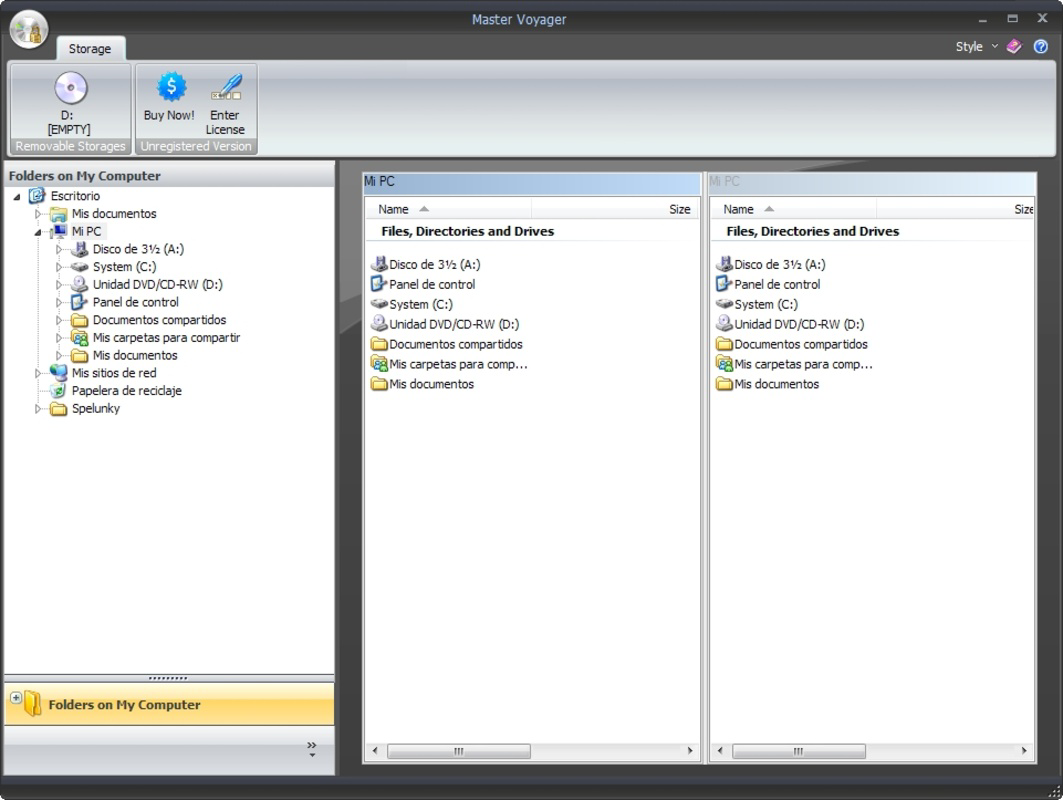
Master Voyager presents a minimalistic and functional user interface, optimized for clarity and ease of navigation. The layout centers around a simple dashboard where users can select a storage device and initiate the password protection process. Icons and labels are clearly defined, reducing the learning curve for new users. Navigation is linear and intuitive—users can lock media, verify passwords, and manage existing protections with minimal clicks.
Although the developer did not list formal performance metrics, the application’s lightweight footprint of 12.5 MB suggests efficient resource usage. The app is designed to operate without significant impact on system performance, even on older Windows systems. Responsiveness is consistent during device scanning and password validation, with no reported lag or crashes in standard use cases. Stability appears reliable across different hardware configurations, though specific testing conditions were not disclosed. The app does not require constant background processes, which contributes to its low system impact.
Platform Compatibility & Technical Requirements
Master Voyager is available exclusively for the Windows platform. The current version is 1.0.1, with a file size of 12.5 MB. The developer did not specify minimum OS requirements, so compatibility with specific Windows versions (such as Windows 10, 11, or older editions) remains unclear. Similarly, no detailed hardware specifications were provided. Users should verify system compatibility before installation. The app does not appear to support mobile operating systems or macOS, limiting its accessibility to Windows-based users. For those relying on Windows environments, the lightweight size ensures quick installation and minimal disk usage.
Pros and Cons
Pros
- Simple, user-friendly interface suitable for non-technical users.
- Supports a wide range of optical and portable storage formats.
- Enables cross-device access without requiring the app on every system.
- Provides strong data privacy through password-based encryption at the media level.
- Lightweight design with minimal system resource consumption.
Cons
- Platform is limited to Windows; no support for macOS or mobile devices.
- Specific system requirements were not disclosed.
- Price point of $14.99 may be considered high for a single-purpose tool.
- Limited to physical media—no cloud or network-based protection.
- Developer did not provide update frequency or long-term support details.
FAQ
Is Master Voyager safe to use?
Yes, the app is designed to protect data at the storage level using password encryption. As long as the password is kept secure, the data remains protected even if the physical device is lost or stolen.
Can I use Master Voyager on multiple computers?
Yes, once a storage device is encrypted, it can be accessed on any compatible computer, regardless of whether Master Voyager is installed. The password is the key to access, not the software itself.
Does Master Voyager work with USB drives and memory cards?
Yes, the application supports USB drives and memory cards, allowing users to secure data stored on these portable devices using password protection.
Is the app compatible with older versions of Windows?
The developer did not specify minimum OS requirements. Users should verify compatibility with their system before installation.
How often should I update Master Voyager?
While the developer did not disclose update frequency, it is recommended to check for updates periodically to ensure the app remains secure and functional.
Final Thoughts
Master Voyager delivers a focused and effective solution for securing data on physical storage media. Its strength lies in its simplicity, broad compatibility, and robust password-based protection. While it is limited to Windows and lacks mobile or cross-platform support, it fills a critical gap for users who rely on CDs, DVDs, USB drives, and memory cards for data transfer and backup. The app is especially valuable for professionals and individuals who prioritize privacy and need a reliable way to lock sensitive information on removable media. At $14.99, it represents a reasonable investment for those who frequently handle confidential data. With its intuitive design and strong security features, Master Voyager stands out as a trustworthy tool in the productivity category. Download Master Voyager now.
Guides & Tutorials
How to install Master Voyager
- Click the Download button above.
- Once redirected, accept the terms and click Install.
- Wait for the Master Voyager download to finish on your device.
How to use Master Voyager
This software is primarily used for its core features described above. Open the app after installation to explore its capabilities.
User Reviews
No reviews yet. Be the first to share your experience.
You may also like
more
Que no te pillen¡
About !Que no te pillen¡Reviewed by Jason A. BilbreyShow MoreShow Less

3D Combat Zone
About 3D Combat ZoneOriginally released in 1983, 3D Combat Zone immerses players...

666: El día del portal
About 666: El día del portalOn June 6, 2006, Agent P. Stone uncovers a sinister...

80 in 1 Best Flash games
About 80 in 1 Best Flash games 80 in 1 Best Flash games is a collection of 80 fl...

ABYSS SEEKERーーWhat Do You See Deep in The Abyss
About ABYSS SEEKERーーWhat Do You See Deep in The AbyssIn ABYSS SEEKER, players...

ACA NEOGEO THE KING OF FIGHTERS 2002 for Windows
About ACA NEOGEO THE KING OF FIGHTERS 2002 for WindowsTHE KING OF FIGHTERS 2002,...